

We are pleased to report that the issue with the address section of the forms on our website has been fixed. Below is a mini guide on using the copy pen icon.
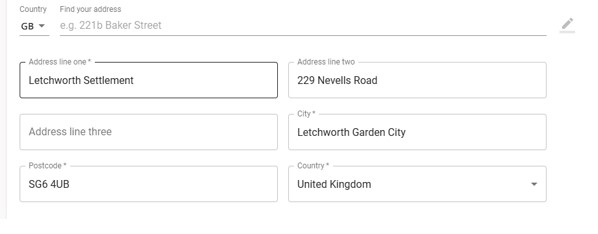
On the find your address line, either enter your postcode or the first line of your address.
Then select your specific address, see example below.
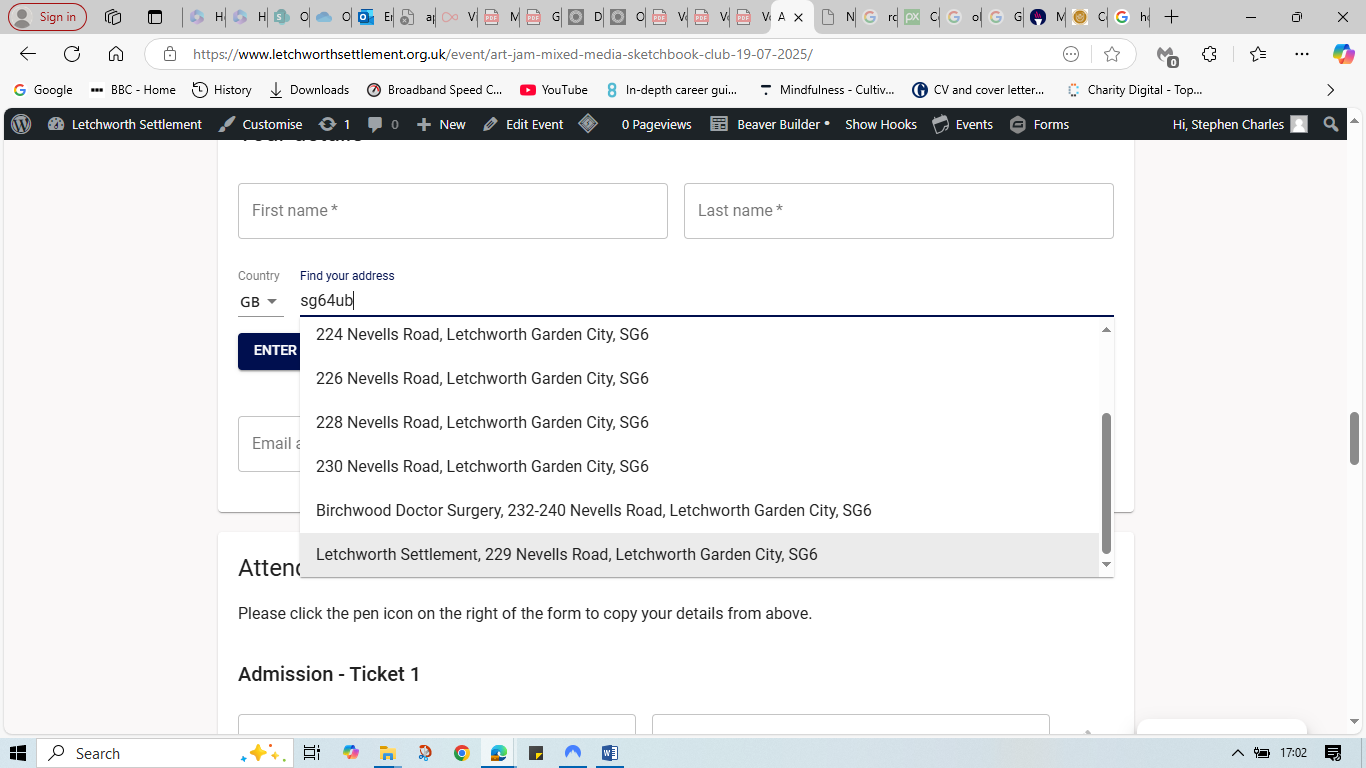
Or
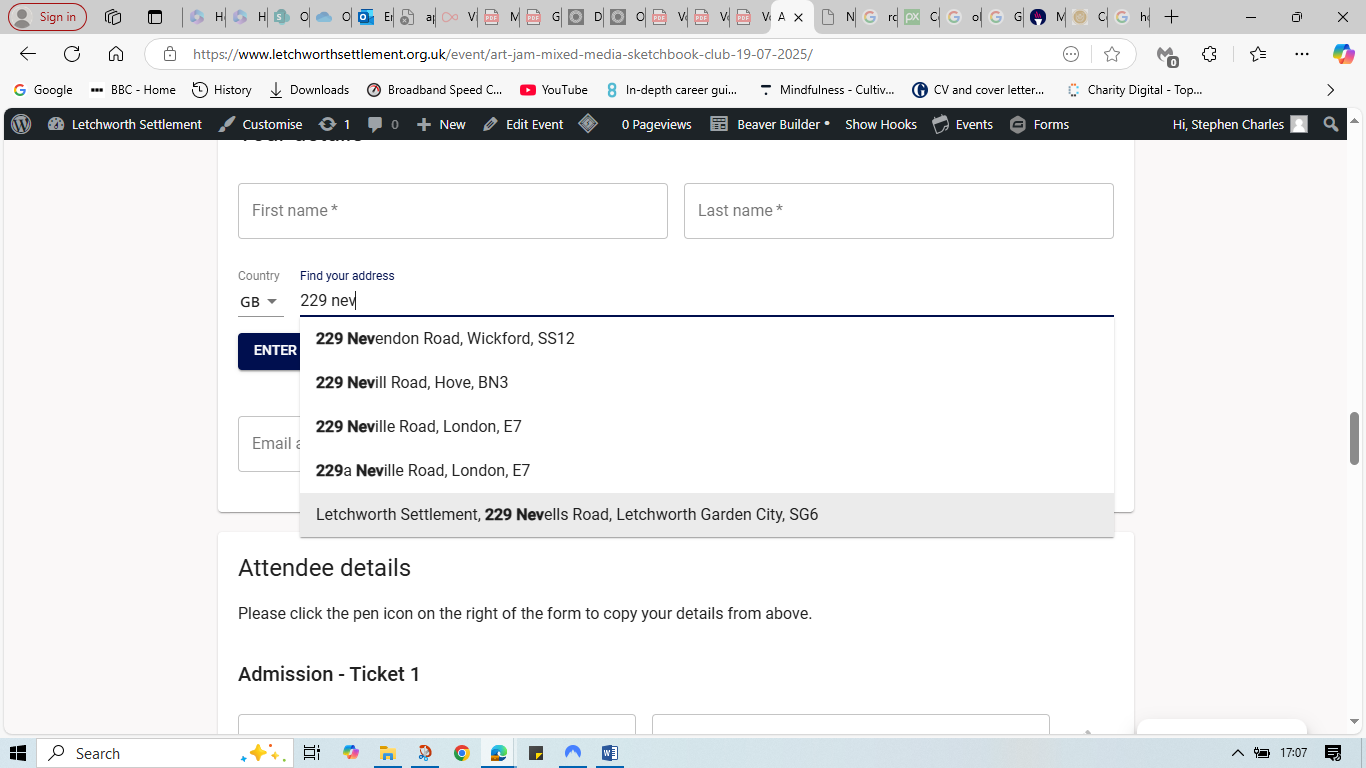
Address will auto fill.
Further down the form to re-enter address, look to the right hand side of the form and hover over the pen icon. ‘copy address from… will appear
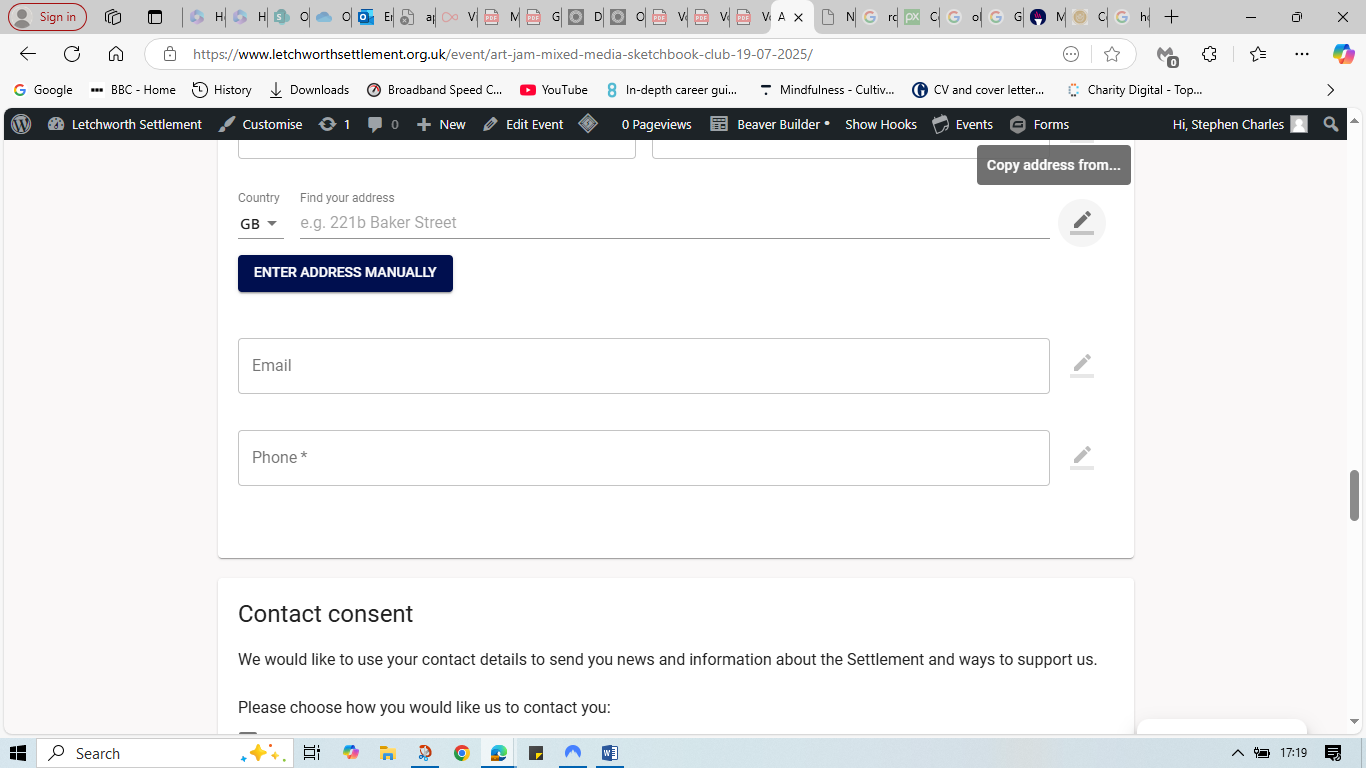
Click the pen and the address you require to copy will appear.
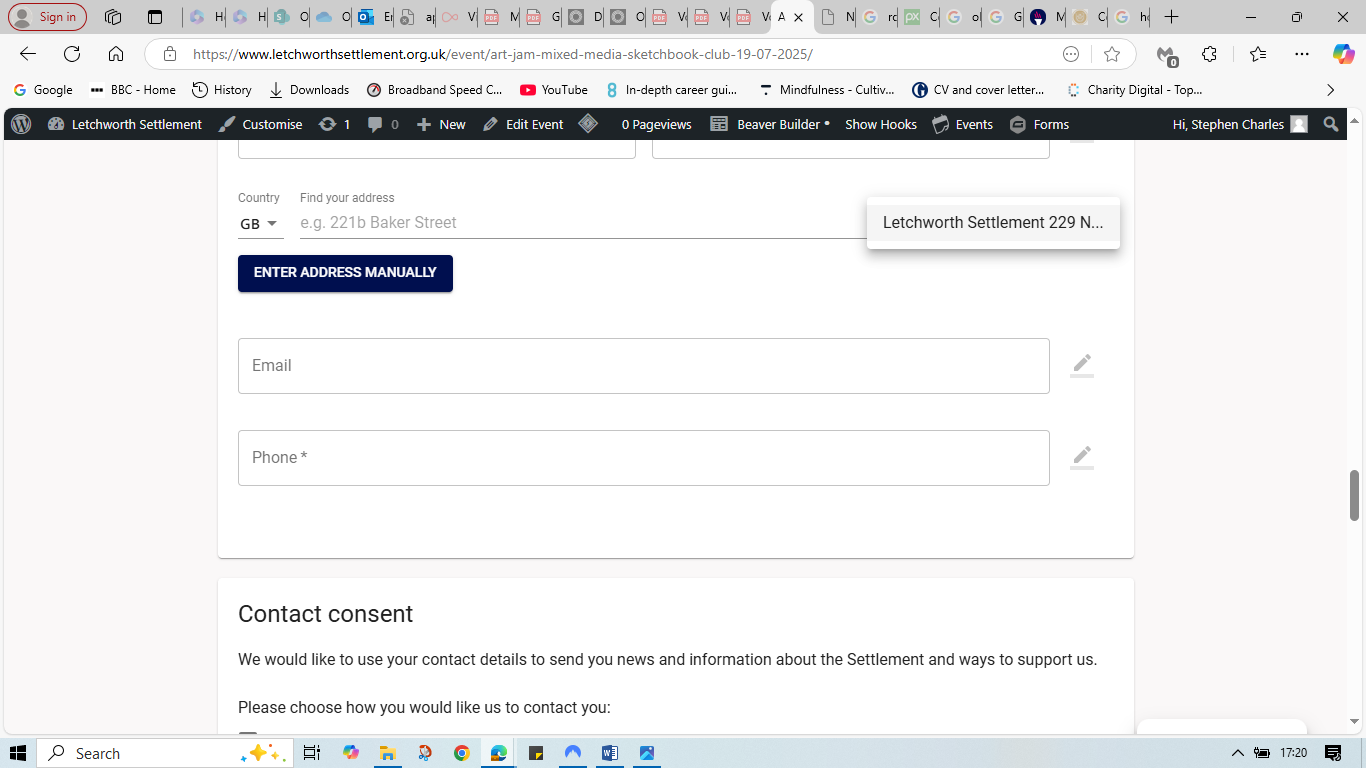
Click the address and it will auto fill. This can be repeated at the billing section using the pen icon on the right hand side.
The same process applies to other information.
We know this has been an issue for some people and we hope this helps resolve the issue and shows we are listening and responding to your feedback.
Alternatively you may also wish to use the auto complete function for address and other information on your own device. The Settlement are not recommending this approach and The Settlement cannot assist with the settings regarding this.
The Settlement